
Free Fire ID Creation Date Checker
Enter any Free Fire Player UID to find its estimated creation date, account age, and OG rarity badge.
Do you remember when you started playing the Garena Free Fire or Free Fire Max battle royale game? Whether you created your UID in 2017, 2018, 2022, or any other year, knowing your ID creation date can be interesting. It helps you discover how old your account is and how long you have been part of this mobile battle royale gaming community.
With the Free Fire ID Creation Date Checker online tool, you can check when your ID was created, its lifetime age, Debut Season, and much more.
So are you excited to check your account age? Then use the above tool to find your or your friends’ FF UID creation date now.
What is a Free Fire ID Creation Date Checker?
Free Fire ID Creation Date Checker is an online tool that helps users find their account creation date instantly. It uses the player’s unique identification number, also known as UID, to check the available information from the database.
As we know, when users join Garena Free Fire or Free Fire Max, they get a unique UID number, which can range from 8 to 10 digits. This ID remains associated with their player account even if they change their nickname using a name changer card.
By entering the FF UID into the Free Fire ID Creation Date Checker online tool, you will get the following information:
How To Check Free Fire ID Creation Date?
Checking the UID creation date using the above tool is so simple. You just have to follow the steps below. Take a look:
- Open the Free Fire ID Creation Date Checker online tool.
- You will get a box where you have to paste the “FF UID,” and after that, click on the “Check Account Age” button.
- After that, you will instantly get all the information about the UID below, which you can also copy with one click.
How To Find Your Free Fire ID (UID)?
If you have recently joined the Garena Free Fire or Free Fire Max mobile battle royale game and don’t know how to get your UID information, then don’t worry because we are here to help you.
To get your Free Fire UID, follow the steps below:
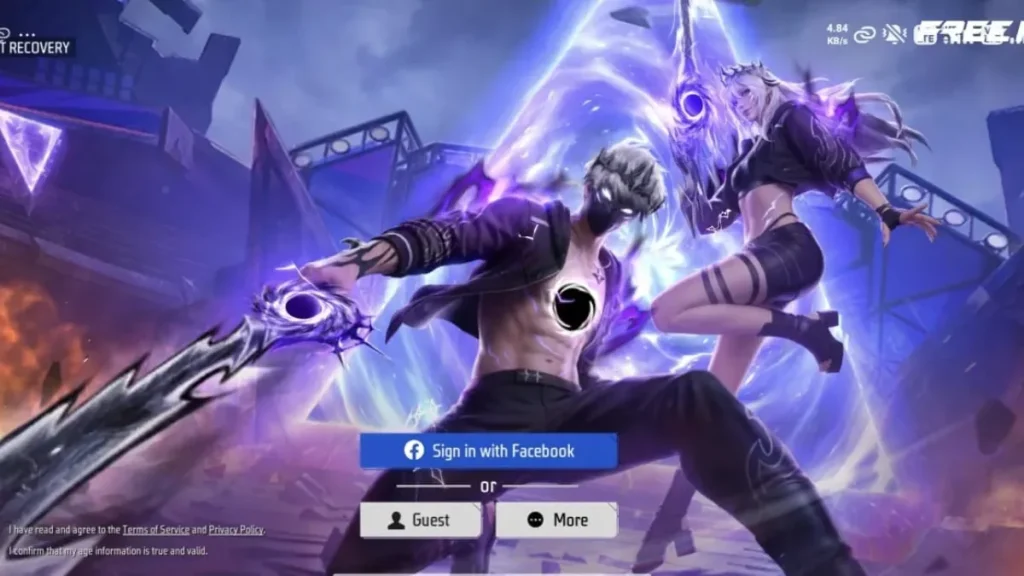
- Login to your Free Fire or Free Fire Max account using your preferred method.
- Once you access the lobby section, you will see a banner in the top-left corner showing your game name. So simply click on that.

- Once you tap it, your Free Fire Profile Section will open, where you will get the “UID number” just below the thumbs option.
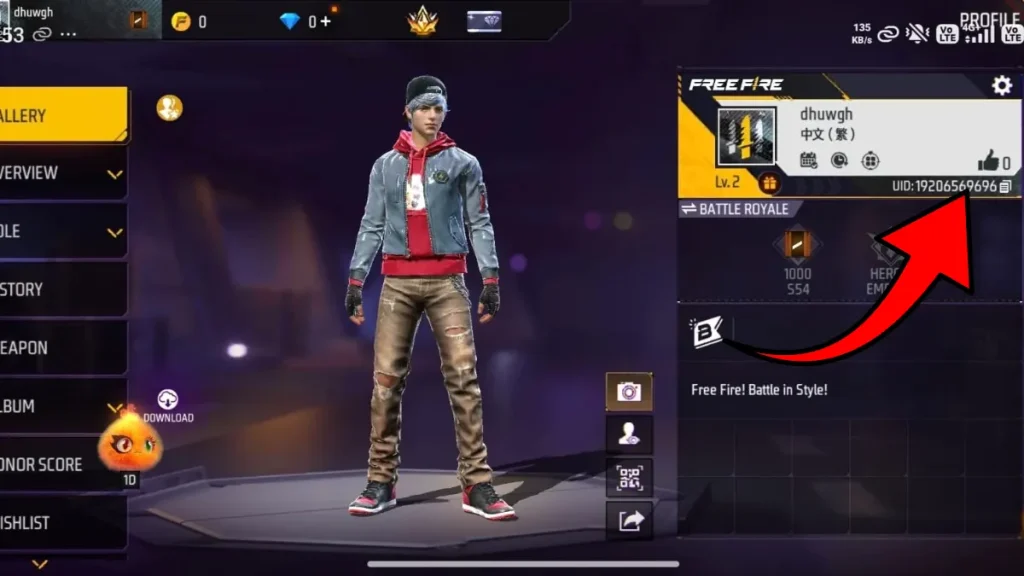
- Click on the side option of the UID and copy your in-game ID number.
NOTE: After copying the Free Fire ID from the game profile section, save it in your notes for future use.
What Information Does the Free Fire ID Creation Date Checker Show?
The Free Fire ID Creation Date Checker tool comes with enthralling features that you should know before using it. Take a look below:
1 – Account Creation Date
The attraction of this online tool is that it tells users about their FF UID creation date instantly. You just have to paste the UID and get the information easily.
2 – FF UID Lifetime Age
Did you forget when you created your account? Then don’t worry, simply use the Free Fire ID Creation Date Checker tool and get your UID’s lifetime age with one click.
3 – Debut Season
Every month, Garena Free Fire introduces a new Booyah Pass in-game that comes with exciting surprises. That’s why many players always stay excited to claim rewards in their accounts. But they forget how many Elite Pass or Booyah Pass seasons they were part of.
To eliminate this issue, you can use this FF ID Creation Date Checker to find information about how many seasons you were part of the Booyah Pass in the game.
4 – Players Rarity Bracket
This is a unique feature that comes with this Free Fire ID Creation Date Checker tool. This feature helps you identify the rarity category of your Free Fire account based on its UID creation date and Debut Season.
It allows players to understand whether their accounts belong to the old Free Fire era or the new one.
Can You Check Another Player’s Free Fire ID Creation Date?
Yes.
You can use the Free Fire ID Creation Date Checker online tool to check anyone’s UID with one click. You only need to copy their ID from their profile section, paste it into the tool, and get the information easily.
Final Words
Free Fire ID Creation Date Checker is one of the emerging tools in the gaming community that tells users about their account creation date, overall age, debut season, and rarity in one place. It is totally free to use and comes in an online tool format.
So whether you are an old player or a beginner, checking your account creation date can be more fun to learn about your Free Fire account history.
But always use the correct Free Fire UID number to get the correct details. Otherwise, you can face problems.